
Features
Everything Dawn Doc does
A Word-like editor for Markdown files: the page you write on, the Markdown it saves, and the documents you send.
Editing
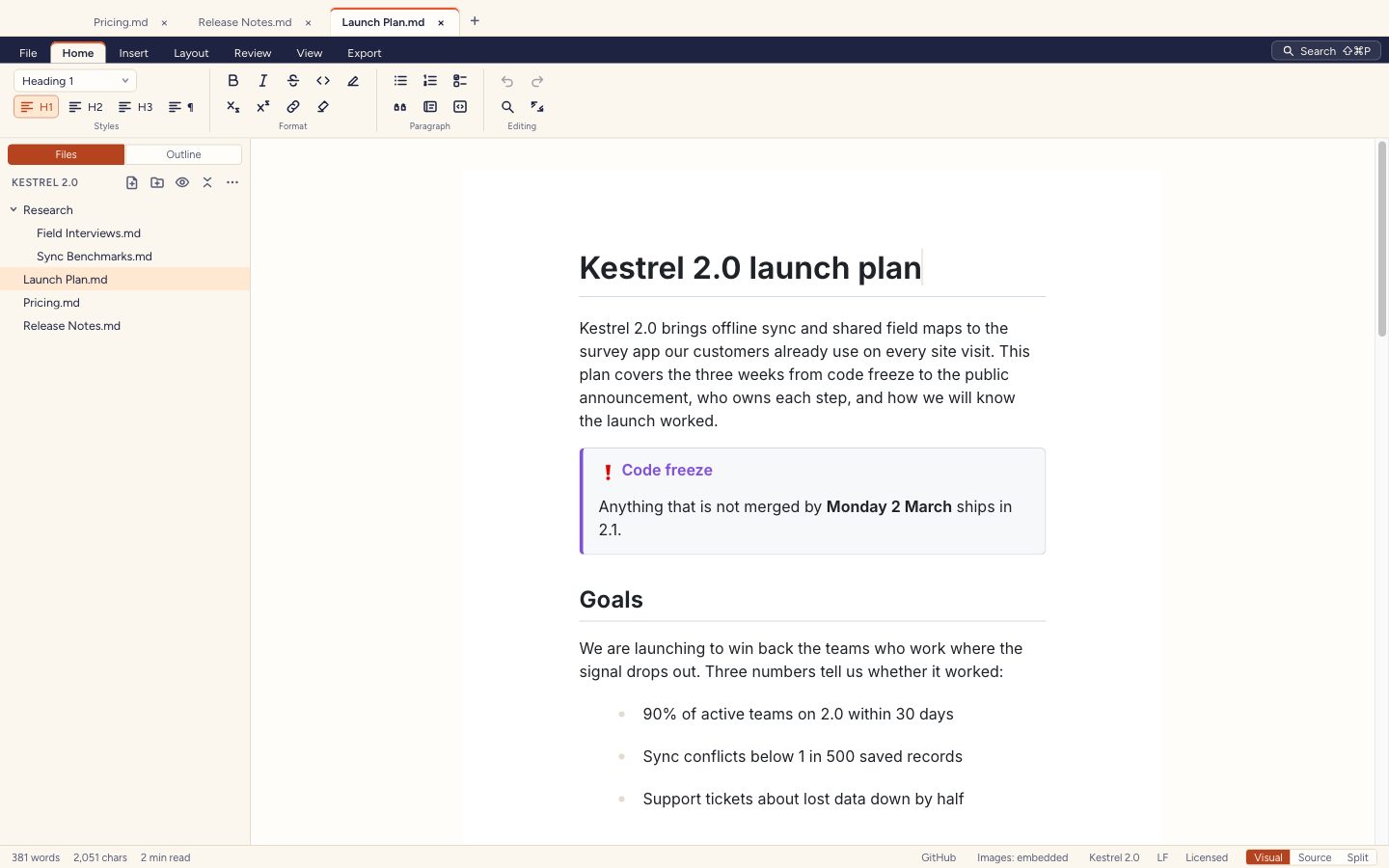
Write on the page, the way a word processor works.
Dawn Doc opens a Markdown file as a formatted page, with a ribbon, right-click menus, a slash menu and a floating toolbar, so nobody has to remember the syntax.
- Headings, lists, tables, images, links, callouts and code from the ribbon or the slash menu
- Paste or drop images: embedded in the file, or saved beside it in an assets folder
- Find and replace, on the page and in the source
- A frontmatter panel for the YAML at the top of a file
- Templates, focus mode, spell check and drafts saved as you type
Markdown
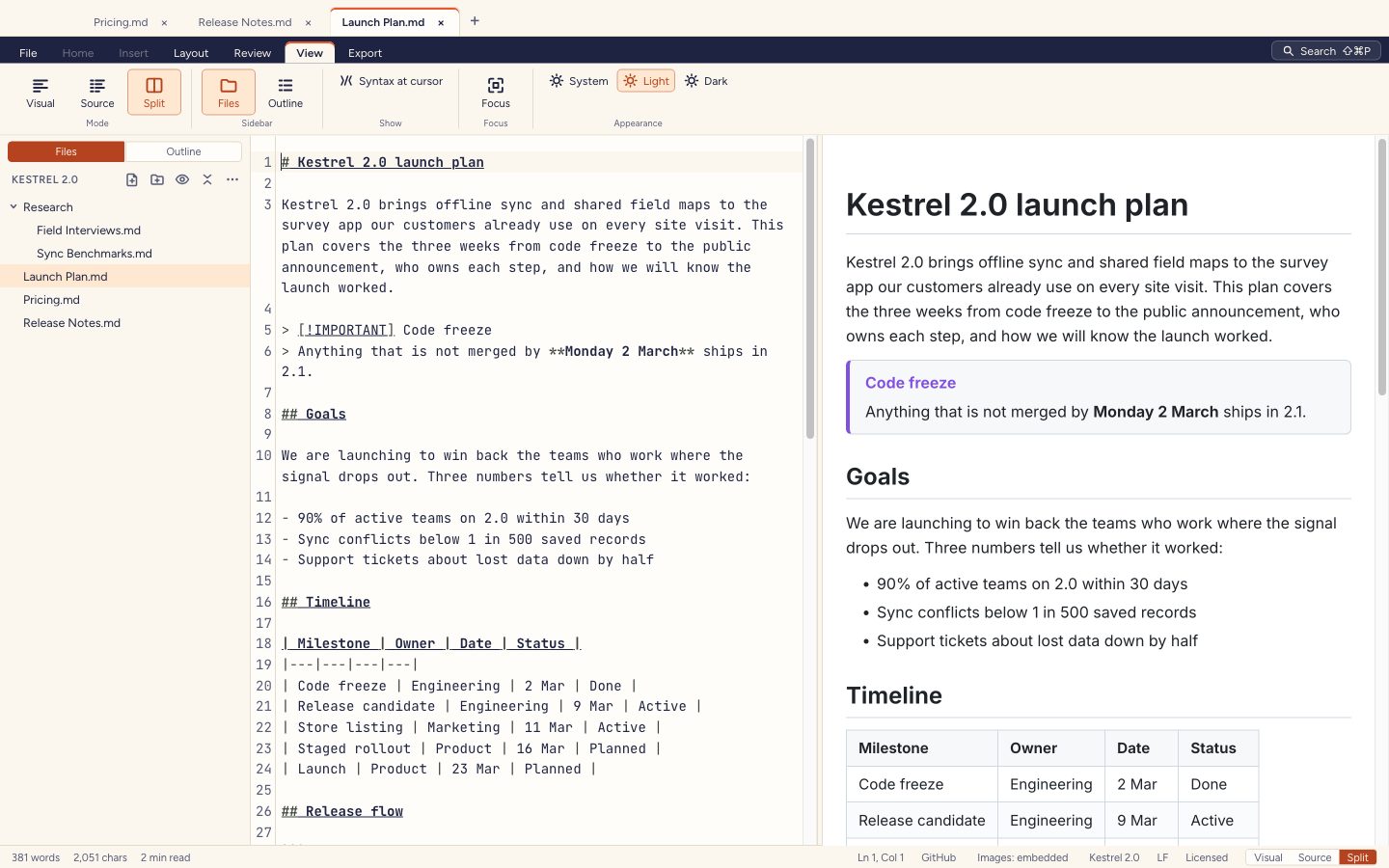
Your Markdown, kept exactly as you wrote it.
Switch any document between the page and its Markdown, or keep both open side by side in split view, scrolling together.
- CommonMark and GitHub-flavoured Markdown: tables, task lists, strikethrough, footnotes and autolinks
- Math, Mermaid diagrams, YAML frontmatter, GitHub callouts, wiki links, highlights, subscripts and superscripts
- The blocks you didn't touch are saved byte for byte from the original file
- Anything the page can't show stays as raw Markdown and is written back as it was
- A check before every save from the page, so a file never changes behind your back
Rendering
Math, diagrams and code, drawn as you type.
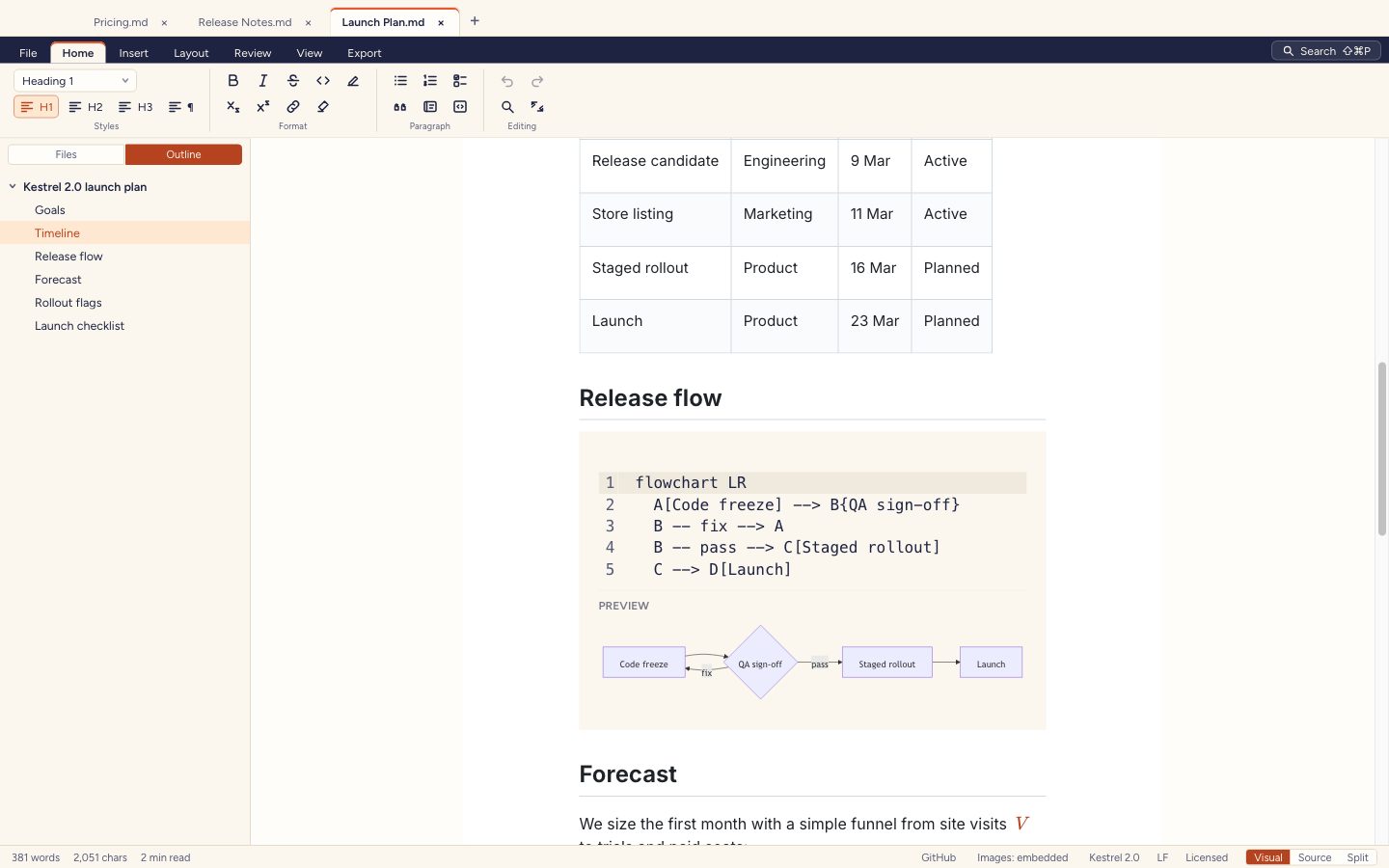
Formulas are typeset, Mermaid diagrams draw themselves, and code gets its syntax colours, in the editor, the preview and the PDF and HTML exports.
- Inline and display math, typeset with KaTeX
- Mermaid flowcharts, sequence diagrams and more, with their source a click away
- Syntax colours for code blocks in the common languages
- Callouts for notes, tips, important notes, warnings and cautions
Export
PDF, Word and HTML that look finished.
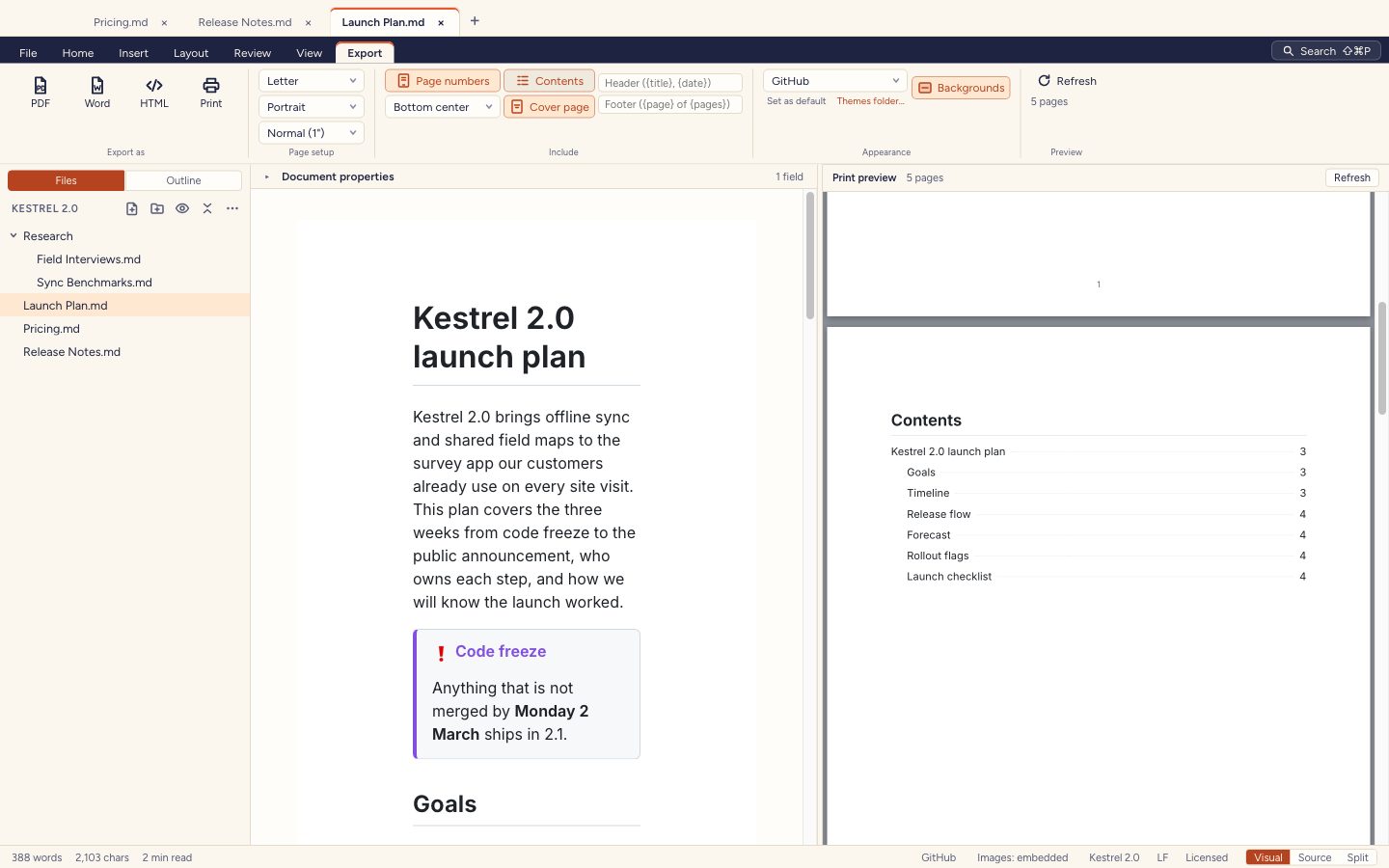
Export a document as a paginated PDF, a Word file or a single HTML page, with a page-by-page preview while you set it up.
- PDF page size, orientation, margins and page numbers
- A cover page and a table of contents with page numbers
- Headers and footers with the title, the date and the page
- Word files with headings, lists, tables, images, code, footnotes and callouts
- Standalone HTML with its fonts, images and diagrams inside it
Workspace
A folder of notes, and a fast way round it.
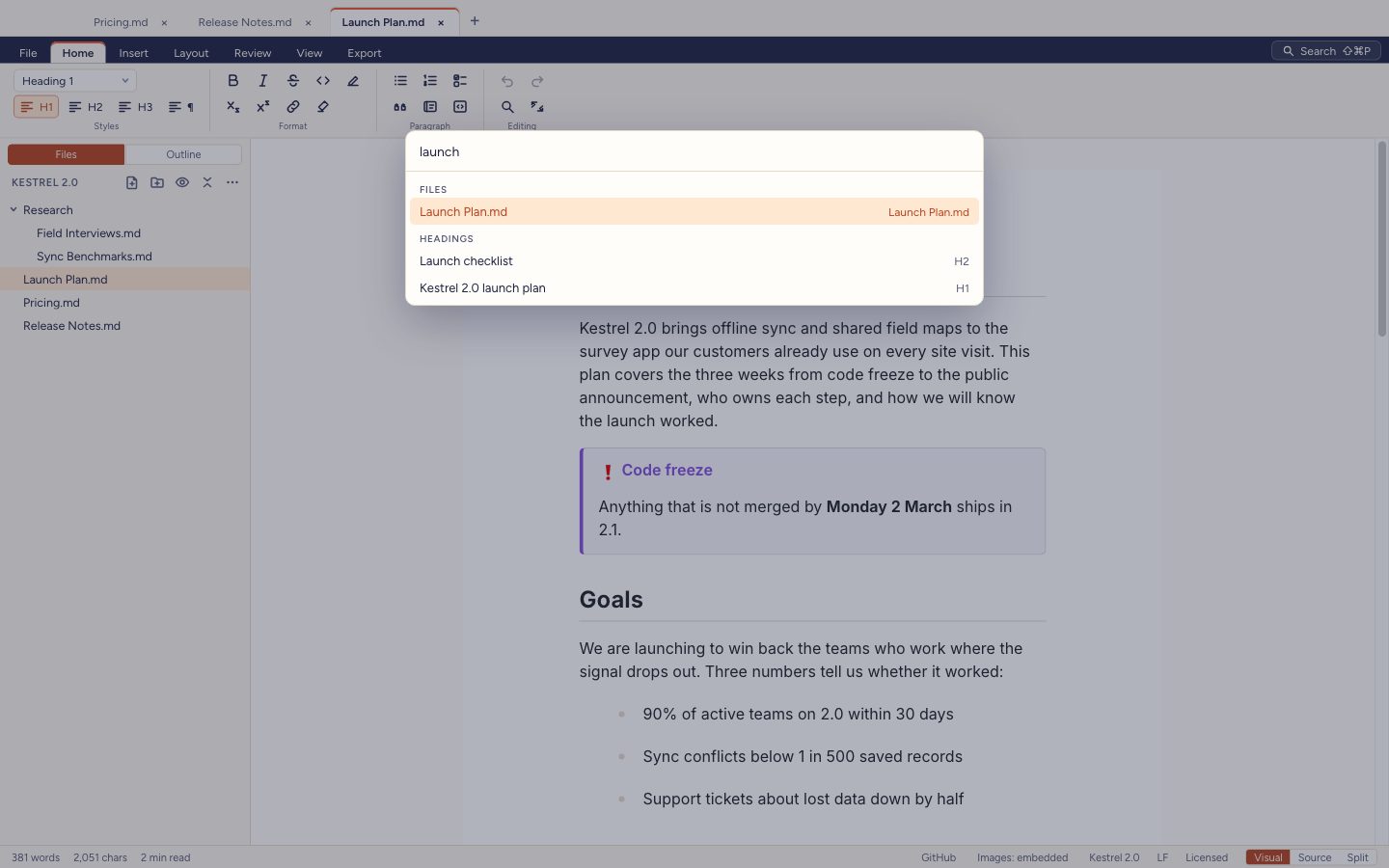
Open a folder to browse its Markdown files in the sidebar, and find your way round a long document from its outline.
- A file tree: new files and folders, rename, move to Trash, and live updates from disk
- An outline: click a heading to jump to it, drag it to move its whole section
- The command palette finds commands, files, recent files and headings
- Wiki links: [[Note]] opens the note, or offers to create it
Themes
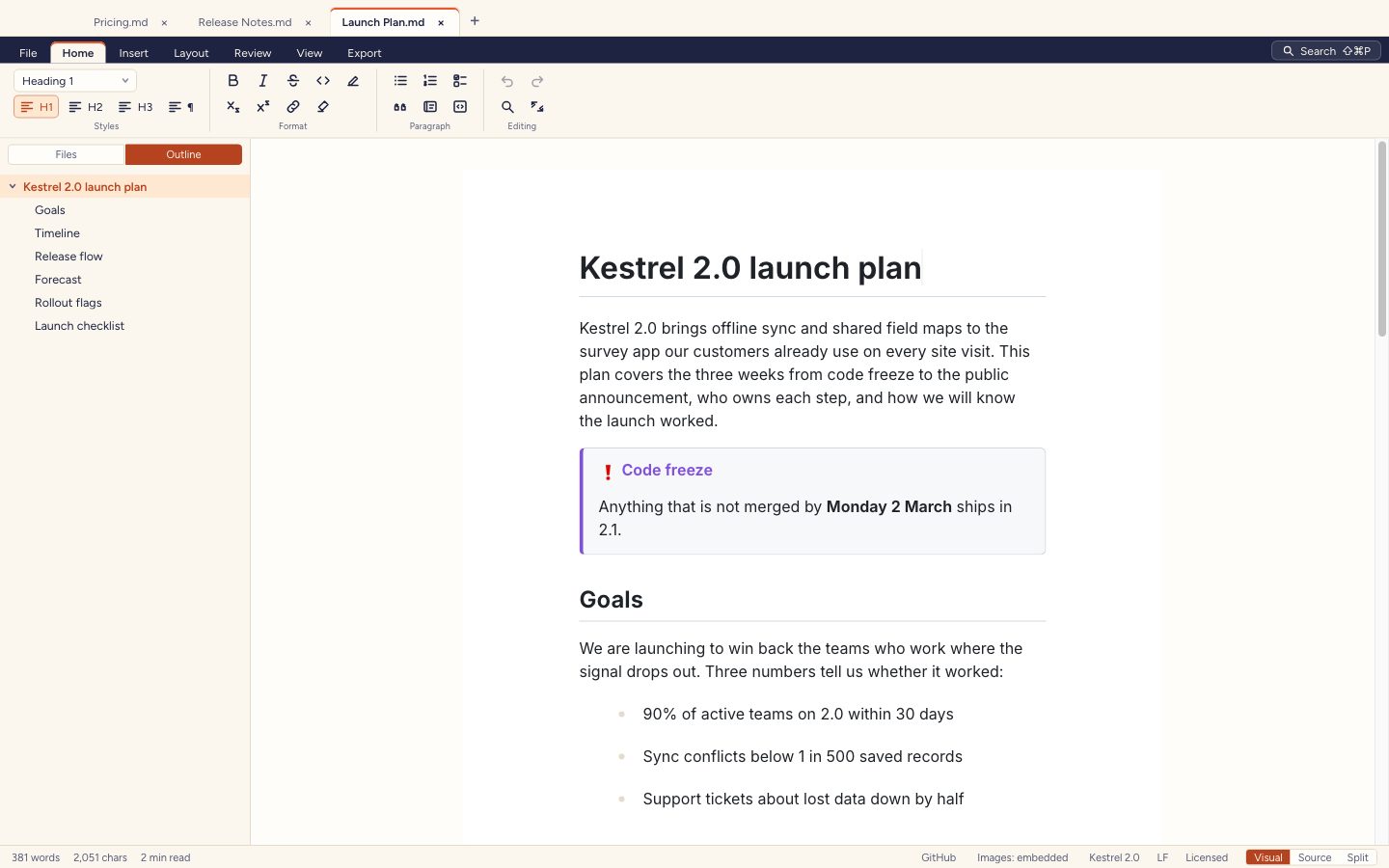
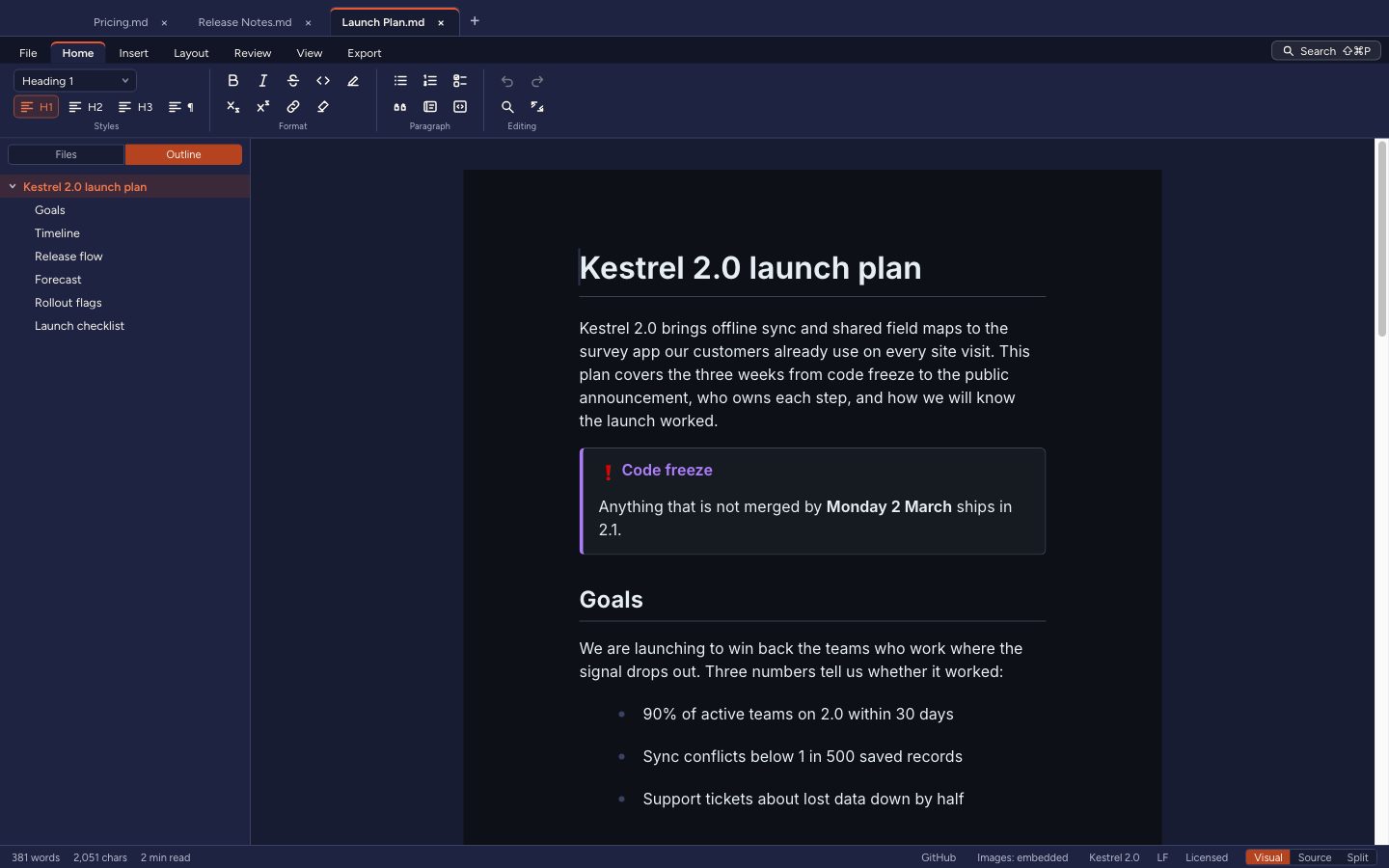
Five document themes, and the app in light or dark.
GitHub, Academic, Book, Slate and Minimal style the page, the preview and the PDF and HTML exports. Pick one for a document or for all of them, or write your own in CSS.
- A theme is remembered per document, in its frontmatter
- Your own themes reload as you edit their CSS
- The app itself in light or dark
Accessibility
Every command from the keyboard.
Every command has a place in the menus, the ribbon or the command palette, and almost every shortcut can be changed.
- F6 moves between the ribbon, the sidebar, the page and the status bar
- Shortcuts shown in the menus, the ribbon's tooltips, the palette and the right-click menus
- Re-record almost any shortcut in Settings, which warns of a clash
- Zoom the text and set the line spacing
- Checked with axe-core, with 4.5:1 contrast in every built-in theme
Privacy
Offline, with no account.
Dawn Doc sends data only when you activate or deactivate a licence: the licence key, a hash of the device's ID, a device name, the platform and the app version. Apart from that, the only network traffic is loading the web images a document links to. Everything else works offline, and your documents never leave your computer. The privacy policy says exactly what is kept.